Last Updated: Oct 2026
Compare the Best VPNs for Mac
Great for privacy, security & more

A VPN, or virtual private network, is an encrypted connection between a device, such as a Mac or an iPhone, and a protected network. By using a VPN, Mac users can take advantage of the online privacy and anonymity that this encrypted connection, or tunnel, provides.
A VPN consists of a network of servers worldwide. When you connect to one of those servers, any website you visit will see your location and activity coming from that VPN server rather than your physical location. This tunnel makes it difficult for third parties to track your activity online.
Mac VPNs work in the same way as VPNs on other platforms, with the main difference being how you install them. You can usually do this using either the Apple App Store or a DMG file. Once installed and configured, you can simply click Connect on the application to connect to a VPN server and benefit from a more secure internet connection.
The two main benefits of using a VPN for Mac are privacy and security. By obscuring potential identifying features, such as your IP address or location, a VPN can prevent you from being tracked by websites or your internet service provider (ISP). This allows you to maintain your anonymity while browsing the internet.
Indeed, your ISP may not only monitor and log your traffic but also limit your connection speed or bandwidth usage. If you tend to download large files or use other high-bandwidth services, then you may find your internet connection being affected. Not all ISPs throttle bandwidth, but if you use a VPN, your ISP can no longer track your data usage, allowing you to avoid any negative impacts on bandwidth.
VPNs use strong encryption, such as AES-256, to secure your internet traffic, meaning that anyone intercepting your communications won’t be able to interpret the data they find. This encryption makes using a Mac VPN even more important when using public WiFi, which is typically less secure than your home or work network.
Not all VPNs work on a Mac, so if you’re looking for the best VPN for Mac and iPhone, there are a few things you’ll need to consider before making a choice.
The first thing to check before choosing a VPN service is to check whether it works on the Mac at all. Look for a VPN that balances the features you need along with speed, security, ease of use, and price. Features such as peer-to-peer (P2P) functionality, often used for file sharing, might particularly matter to you.
Other specialist features will be ones you either know you need or will probably be less relevant to you. For example, NordVPN’s Onion over VPN combines the security of a VPN with the anonymity of using a Tor browser. Overall, however, there are a few key features to look out for which require a little explaining:
Strong encryption: VPNs usually use AES-256 to encrypt your internet traffic between VPN servers and your computer.
No-log policy: To safeguard your privacy, many services provide a no- or zero-log policy, meaning they don’t keep a record of your online activity.
Automatic kill switch: This feature disables your internet access and prevents your internet activity from being accidentally exposed if your VPN connection drops.
DNS leak protection: The domain name system (DNS) is how your computer translates domain names into IP addresses. Even if the rest of your internet traffic is protected through your VPN, DNS leaks can allow your internet provider to log every site you visit. The best Mac VPNs have features that detect and prevent DNS leaks.
A VPN’s jurisdiction is also worth considering. This refers to the country where the VPN provider is based and the laws that the company is subject to. The best VPN services are based in countries with strong privacy laws and which are not associated with mass surveillance. This allows VPNs to provide services such as no-log policies and prevents them from being compelled to hand over your data to authorities.
Customer service is often provided via email or web chat on a 24/7 basis—although not all companies offer 24-hour live chat. If support is important to you, then ExpressVPN is worth a look. If you’re unlikely to need VPN support on your Mac, free VPNs can work for occasional use like securing your internet connection when using public WiFi.
When choosing a free VPN, Mac users have plenty of options, like ProtonVPN and Windscribe. However, even the best free VPN Mac software tends to have limits—usually in the form of download speed or data limits. Choosing one that offers a paid service allows you to easily upgrade if you find the free version too constraining. VPNs with a paid service also tend to be more trustworthy as you know they have a business model that funds the service they provide.
It’s possible to get a cheap VPN for Mac computers—some cost less than $2.50 per month on a 12- or 24-month contract. However, for premium services like ExpressVPN you can expect to pay almost $10 per month. Mac users have a choice of options at a variety of price points.
In most countries, it’s entirely legal to use a VPN to improve online security and protect privacy.
However, VPNs are banned, blocked, or restricted in some countries, including China, Russia, Turkey, and the United Arab Emirates. Other countries, such as Egypt and Vietnam, have strict censorship laws that make the legality of having a Mac VPN uncertain.
So, while it might be legal to use a VPN in your home country, it’s worth double-checking the legal situation when traveling abroad. You might need to temporarily uninstall the software and travel with a VPN-free Mac.
Even if you’re in one of the majority of countries where VPN software is legal, your activity while using a VPN is still subject to the laws in your country. Using a legal VPN doesn’t make illegal activities legal—someone using a VPN while torrenting pirated software would still be breaking the law. Provided your internet activity is legal, chances are your use of a VPN is legal too.

ExpressVPN is a highly regardedVPN. With the built-in speed test, you can choose the fastest servers for your network, and since ExpressVPN has servers spread over 94 countries, there’s plenty to choose from. With a global network of 10Gbps servers and their pioneering Lightway protocol, you’ll always connect to the internet with superior speeds. ExpressVPN also provides 24/7 live chat support—a huge benefit when you need help fast. Plus, with its split tunneling feature, you can choose to run partial device traffic through the VPN while everything else connects directly.

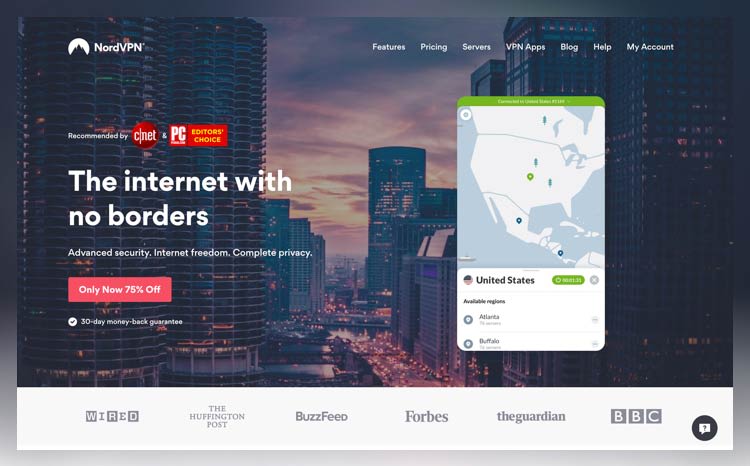
NordVPN is a secure VPN service based in a privacy friendly location—Panama. This VPN service is known for its excellence in complete privacy, advanced security, and internet freedom. NordVPN does not keep any logs, and given its territory, the laws of the land do not require it to do so. It has the largest VPN server network—5,500 servers in 59 countries around the globe.

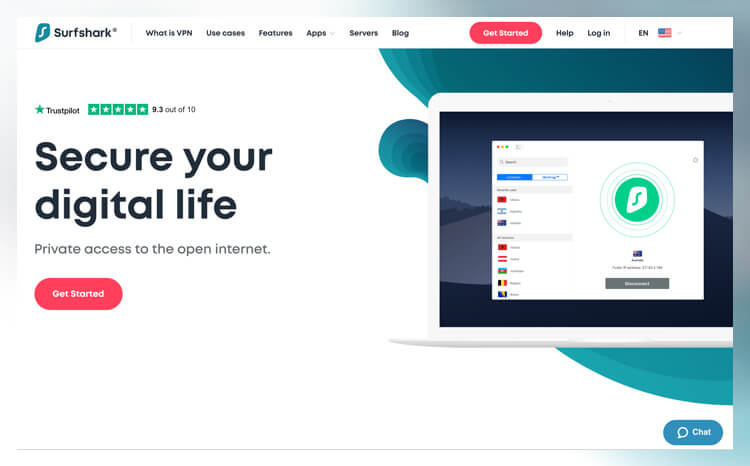
Surfshark VPN is relatively new and has earned its place among the elite services. Located in the British Virgin Islands, Surfshark enjoys the perks of a territory with no data retention laws and favorable data protection laws that ensure user information is safe. Furthermore, it has a strict no-logs policy, and no identifying information about users is collected.
Besides being based in a favorable jurisdiction, Surfshark uses top-of-the-line encryptions to ensure the VPN connection is always secure. It also has a camouflage mode feature that makes your VPN connection go undetected. It has 1,700 plus servers in 64 countries. These servers offer unlimited bandwidth, and P2P traffic is allowed.
Surfshark offers a 30-day money-back guarantee. Although Surfshark possesses a high speed connection, sometimes it’s inconsistent. Surfshark VPN clients present a clean interface that is easy to use.